
 XMIND Ltd. has announced the launch of a major new release of its mind mapping program, XMIND 3. As part of its goal of making XMIND more accessible to a growing audience of visual mappers, the developer has introduced a royalty-free, open-source edition of XMIND and a subscription-based professional edition, XMIND Pro 3.
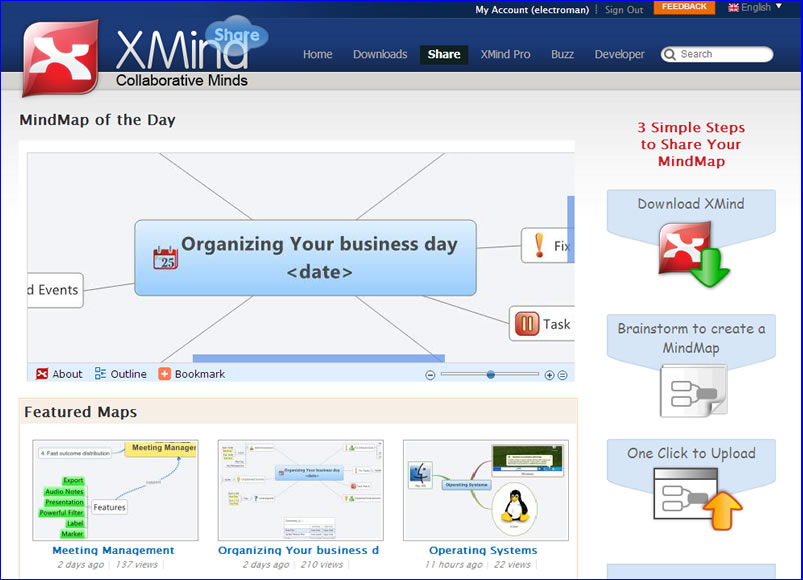
Both versions are enabled for online sharing and collaboration via XMind Share, a new website which allows XMind users to share their mind maps and other visual thinking content in a Web 2.0 style online community.
The major new feature in XMIND Pro 3 is the addition of a Gantt view, which will make it more attractive to project managers. This new map view is completely interactive with your map’s task information; if you drag a task bar in Gantt view to change its duration, this will also be reflected in the topic’s task data. XMIND 3 Pro is available for a US$49 per year subscription, a great value in these troubled economic times.
XMIND Ltd. says that the open-source version of XMIND isn’t stripped down, but provides extensive functionality. Users of this no-cost version can share their maps via the new XMIND Share community, but only publicly. Only XMIND Pro 3 users can designate their maps as private, and control who has access to them. Both versions make it easy to upload maps to this site; the program prompts you to login when you first open it. Then, it’s simply a matter of clicking on the “upload” command in the file menu. One click – that’s nice!
Watch for a detailed review of XMIND Pro 3 in the coming weeks.
Leave a Reply