
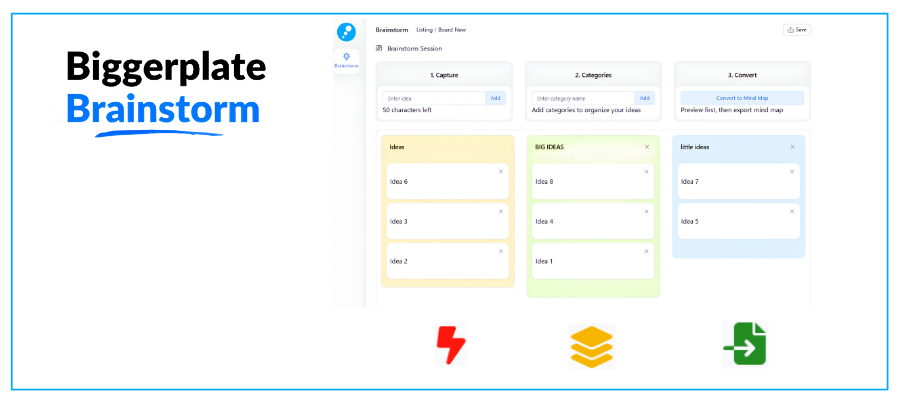
One of the biggest challenges first-time users of mind mapping tools have is staring at a blank map. Where do I start, they ask themselves? The unfamiliar nature of the mind mapping interface is enough to cause them to simply give up.
The developer of Biggerplate, Liam Hughes, decided to do something about that. He recently launched a lightweight, pre-mind mapping tool designed to quickly capture, organize, and convert unstructured ideas into structured mind maps.
How Biggerplate Brainstorm works
Initially, Biggerplate Brainstorm captures your ideas in a simple, vertical list. Unlike a mind map, which immediately forces you to categorize your ideas, Biggerplate Brainstorm prevents you from categorizing your ideas until you have captured at least 8 of them. In fact, it displays a simple countdown of how many ideas you must add before the categorization capability is unlocked.
This functionality is actually smarter than it may first appear. Brainstorming experts favor “emergent thinking,” the practice of engaging in free-form brainstorming without trying to immediately categorize them. Doing so tends to limit subsequent ideas to only those categories. Holding off on categorization tends to result in more divergent (and often valuable) ideas.
Ideas in Biggerplate Brainstorm are limited to 50 characters, which forces you to describe them concisely and keeps the idea list looking clean and uncluttered. You can also enter a series of ideas using only the keyboard, helping you capture everything when your brain drizzle turns into a rapid-fire brainstorm.

Throughout the brainstorming process, the emphasis is on simplicity and a minimalist interface that stays out of the way and lets you focus on the quality of your ideas. As I was experimenting with Biggerplate Brainstorm, I immediately noticed that each idea simply has an “X” in the corner to delete it. That’s the only thing you can DO to it. You can’t add notes to it, assign an icon or change its color.
There are no topic embellishments in Biggerplate Brainstorm. Just your ideas, pure and simple. That’s perfect – because the last thing you want when your brain is in creative flow is distractions. Unnecessary features and functionality create mental drag. I’m pleased to see that Liam and his development team have made a commitment to keeping its interface as simple as possible. You win!
Categorizing your ideas
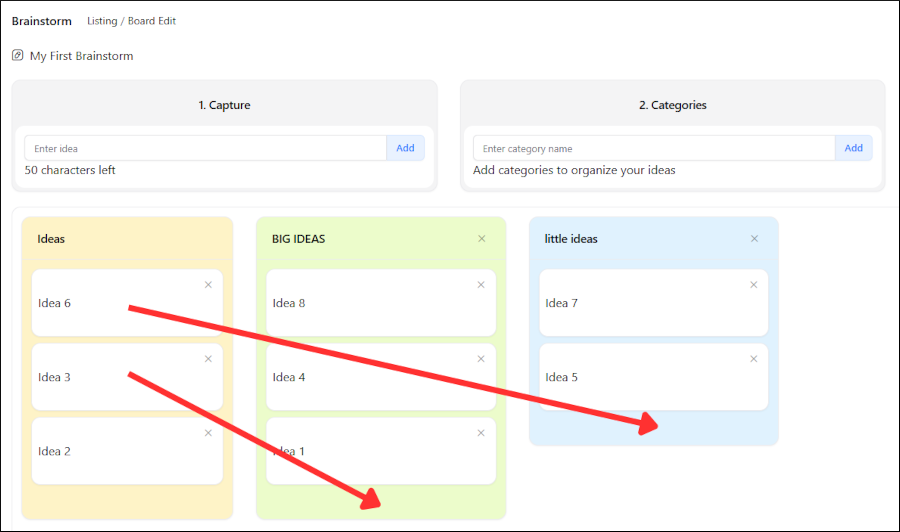
Once you have entered at least 8 ideas, Biggerplate Brainstorm enables you to create categories, which are displayed in a vertical list next to your column of ideas. You can create asn many categories as you want. Simply type a name and hit Enter and it appears in the workspace. You can then drag and drop your ideas into them.
What should you name your categories? Based on the principle of emergent thinking, the ideas you’ve captured should suggest category names. If you have second thoughts after you have moved an idea into a category, you can easily move it to another existing one – or create a new one.
Exporting your ideas into a mind map
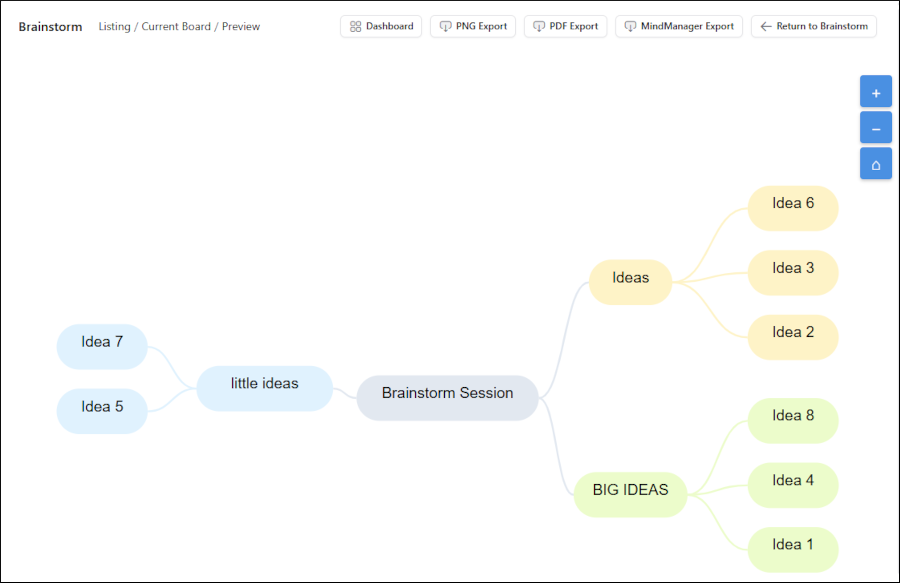
The final step is to explore your categorized ideas into a mind map. It doesn’t create an editable mind map within the application. Rather, it displays a preview of your ideas, with each category listed as a first-level topic and the ideas you’ve “bucketed” within them as subtopics. This spartan view contains a set of zoom controls and a toolbar that enables you to:
- Return to the brainstorming dashboard
- Export your map as a PNG image
- Export it as a PDF
- Export it as a MindManager (.mmap) mind map
Why MindManager? Because it has the largest global base of users of any mind mapping tool, for starters. But more practically, nearly every other commercial mind mapping tool can import MindManager maps.
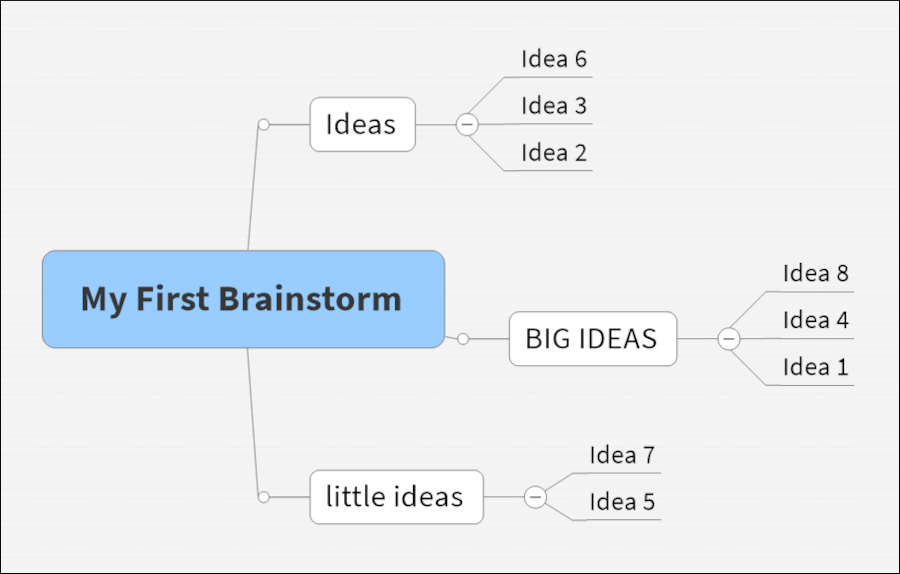
Note in both the preview above and the MindManager map below that any ideas I didn’t categorize were still assigned to a first-level topic called “Ideas.” This functionality ensures that each idea you generate has a parent topic when you export it. This should also signal your mind that you need to spend more time thinking about these “orphan” ideas and what you ultimately want to do with them.
Why Biggerplate Brainstorm matters
Many people don’t use mind maps, either because they perceive this form of visual thinking to be frivolous or unnecessary, or because they intimidated by an empty screen that only contains a blank central topic and a terminology they need to learn.
Biggerplate Brainstorm removes these barriers and makes it easy for curious people to try this powerful, flexible visual thinking technique via a familiar, linear process. Hughes describes his tool as “an on-ramp to mind mapping,” a non-threatening way to get started with it. I think that’s an excellent analogy.
Liam and I talk on a regular basis about our respective audiences and their needs – and what types of visual tools they need to work more effectively. We’re also concerned that use of mind mapping tools has plateaued, even though the need for a flexible thinking, planning and organizing tool has never been greater.
By creating Biggerplate Brainstorm, Liam has succeeded in creating a tool that should attract many more people try experience the power and flexibility of mind mapping – firsthand.
How to get started using Biggerplate Brainstorm
Biggerplate Brainstorm can be used free as a guest, but saving your work requires a Biggerplate membership. Basic (free) members are limited to 30 ideas per Brainstorm, and a total of 3 saved brainstorm boards.
Biggerplate Pro membership gives you full access to brainstorm without limits, plus the ability to export your ideas to MindManager maps. To be clear: There is not a separate pricing structure for this brainstorming tool – it’s part of your Biggerplate Pro membership.
Leave a Reply