
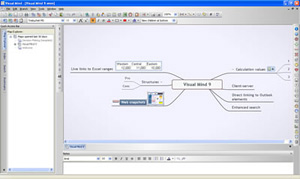
Visual Mind 11 is officially launched

Feb 26th, 2009 | By | Category: Software

Mind Technologies has officially released version 11 of Visual Mind. Based on my recent review of the beta version, the developer made several improvements to the program (nice to know I’ve got such influence! :-D ):

  • The program now allows the use right-click for inserting floating branches and floating pictures.
  • Callouts are drawn in an improved style, to make them stand out more from normal branches

Mind Technologies has also announced the availability of 3 add-ins that are compatiable with Visual Mind 11:

  • theRealizer 2: A unique tool that transforms Visual Mind into a powerful, flexible brainstorming tool.
  • Mind2Chart: A project planning add-in to Visual Mind.
  • Outlook EasyTask: With this add-in you can easily import Outlook tasks into Visual Mind, export branches to Outlook and keep them synchronized.

I have personally used theRealizer 2 and highly recommend it, if you’re looking for a creative catalyst that can help you to generate fresh ideas and insights.

Popularity: 4% [?]

Tags: , , , , , , ,

No comments
Leave a comment »

  1. PC mind mapping is free from the constraints of paper space and, allows a user the luxury of virtual PC space, to be as complex or a simple as they wish when mapping out information that may form a knowledge base. Great product! Glad to see the new version.

  2. I’ve given this a long hard try. I’ve been using Visual Mind since version 7.

    Much has improved. The ability to edit branches in situ is a big one. One of the features I really liked the look of was outlining. I don’t know when it came in (it wasn’t in version 7), but you can now draw an outline around a branch and its sub-branches. You can also shade the background of the balloon that you’ve just drawn. Nice.

    The trouble is: It doesn’t print properly – or, at least, I couldn’t get it to print. I’ve got a full colour laser printer, but the background to the balloon was printed using (I think) 16 colours. To get the pastel shades I was seeing on screen, Visual Mind displayed a kind of hatched pattern using the restricted palette it was printing with. (Think of what you see when you look at a large billboard poster really close up). The result was illegible text – you couldn’t read the writing over the hatching.

    I’ve e-mailed their sales and their support addresses to ask how to fix this, but neither have replied to me after several weeks. Sadly, my evaluation period has now expired and I think it’s time to see what new software has been written since I first came onboard with Visual Mind

Leave Comment