
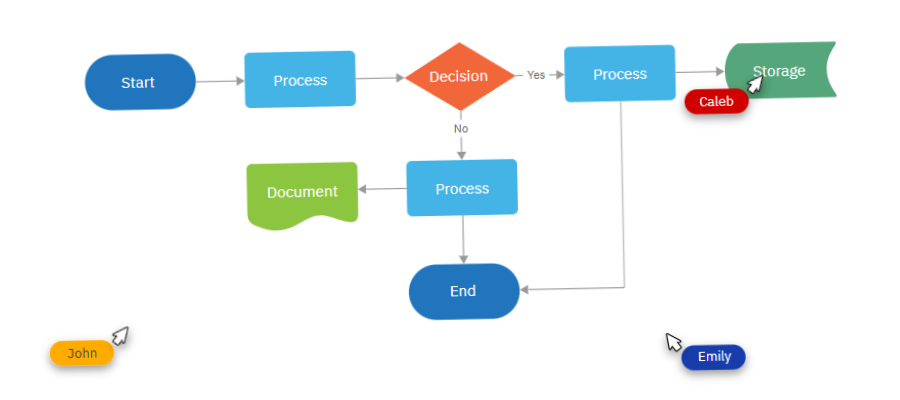
One of the joys of running this blog is watching how tools evolve — not just adding features, but growing into entirely new roles in the workflow. I last covered SmartDraw when its cloud version was just being launched.
SmartDraw has matured into a fully-fledged cloud application built to integrate seamlessly with enterprise productivity platforms. At the same time, it remains remarkably easy to use: whether you’re building a simple flowchart or a complex network diagram, the barrier to entry stays low, even as the power under the hood keeps growing.
Let’s take a closer look at some of the recent developments in this leading visual thinking tool.
Integrations power the connected SmartDraw
The SmartDraw development team recognizes that their flagship diagramming tool doesn’t live in isolation. It’s part of a much larger ecosystem of workflows in organizations of all sizes. Accordingly, SmartDraw now connects with many major business-productivity platforms. Examples include:
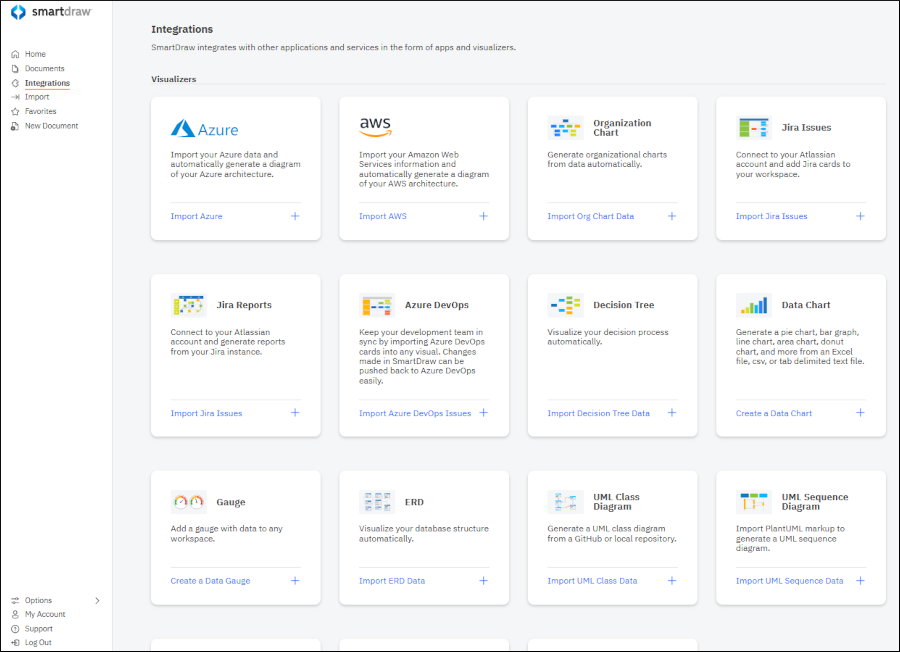
Auto-generation of diagrams from data sources such as Azure for network topologies or org charts built from Excel spreadsheets.
Atlassian connectors (e.g., for Jira) enabling diagrams like decision trees, data charts or gauges to be embedded into real-time developer workflows.
Broad third-party data-storage support: You can save diagrams to Dropbox, OneDrive, Google Drive and Box, which is relatively rare for diagramming tools.
Embedding and live editing of SmartDraw diagrams within tools such as Microsoft Teams, Confluence, Trello and Google Workspace. This makes diagrams a first-class citizen in the platforms you already use.
In short, SmartDraw isn’t just a stand-alone “draw-something” app. It has claimed a role as a valuable component in end-to-end workflows, with integrations that lower friction for teams.
Collaboration features to support team workflows
SmartDraw has stepped up its game in terms of how teams work together around diagrams and whiteboard-style canvases. Key improvements include:
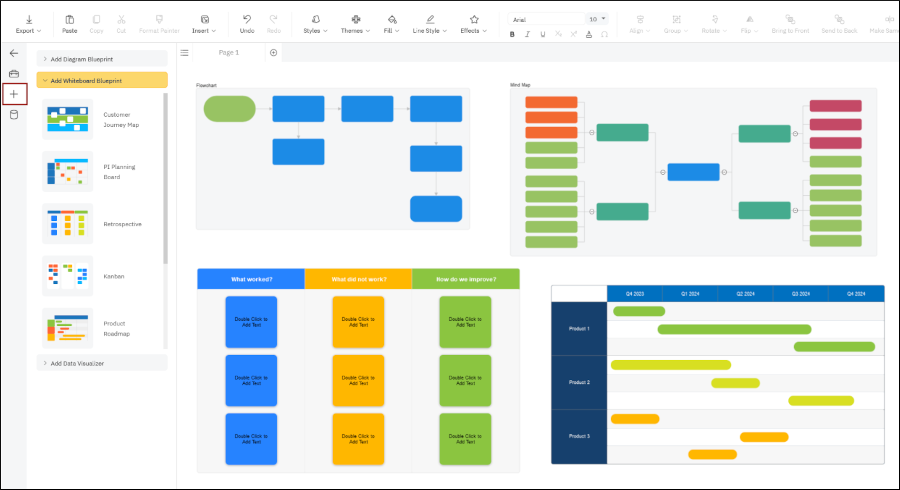
A dedicated whiteboarding category of templates, including brainstorming/brain-writing, meetings and product management. Its flexible canvas supports free-form sketching, pen/highlighter tools, timers — ideal for hybrid workshops or remote collaborative sessions.
“Blueprint” functionality, which allows you to add multiple types of diagrams or data visualizations into a single whiteboard canvas, each in its own “frame.” As you add blueprints, the workspace expands to fit them. As you add elements to blueprints, they also grow automatically.
Improved UI and folder-management features such as “Favorites” to quickly access your frequently-used files/folders.
These upgrades shift SmartDraw from being “just” a diagramming tool to being a collaborative visual workspace.
Miscellaneous improvements
Several smaller, but meaningful enhancements have also arrived that improve day-to-day productivity with SmartDraw:
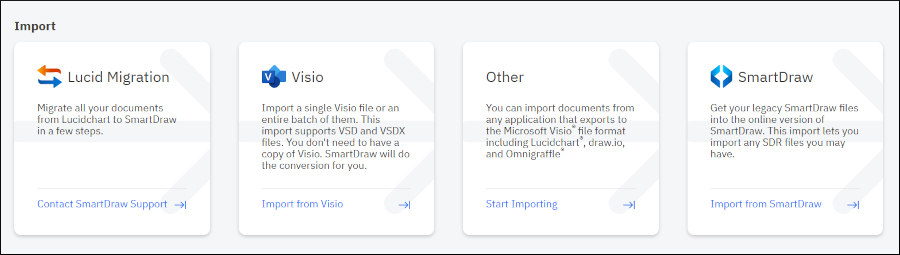
Import capability: SmartDraw now supports importing from major tools like Lucidchart and Visio. This lowers the barrier for organizations migrating or consolidating diagramming tools.
UI enhancements: The toolbar can now be collapsed (icons only or icons + labels) so the canvas gains more real estate — a small change, but one that improves focus and provides cleaner layouts.
Continued improvements in SmartDraw’s symbol/library inventory: For example, as of June 2025, SmartDraw added over 750 new floor-plan symbols, enhancing its utility in architectural and spatial design workflows.
All together, these minor improvements help polish the SmartDraw experience: faster access, better visual economy and stronger import/migration support.
Conclusion
SmartDraw’s recent evolution is compelling for anyone who cares about visual work, whether you favor flowcharts, network diagrams, org-charts, floor-plans or whiteboard sessions.
The tool has moved beyond serving as a dedicated create any type of diagram you can imagine” platform to become a platform that integrates deeply with data, supports collaboration in real time and lives inside the enterprise productivity stack you already use.
For SmartDraw users, that means fewer disconnected apps, smoother workflows and diagrams that have more utility and value.
If you’re considering whether SmartDraw should be part of your toolkit (or are already using it), these updates make a strong case for revisiting how you use it. It’s also an opportunity to reframe your perception of it -not just a diagramming tool and more as a powerful, flexible visual workspace.
An individual license for SmartDraw is only US$7.95 (billed annually) – well worth trying it out to see if it fits your workflow. Learn more about this full-featured tool on the SmartDraw website.
Leave a Reply