
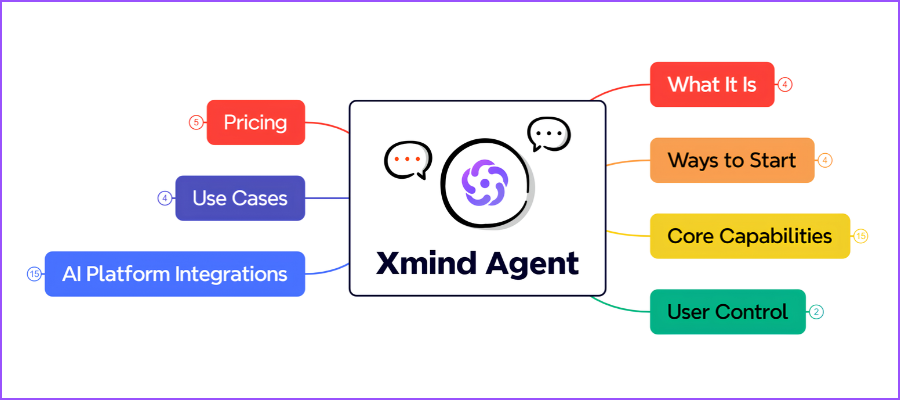
During the last several years, Xmind has aggressively explored ways to integrate AI capabilities with its mind mapping tools. From ChatMind and Xmind Copilot to Xmind AI and now Xmind Agent, this developer has continued to experiment and refine its approach based on user feedback.
Because it has evolved so much in just a few years, I thought some Visual Velocity readers may be confused or uncertain about Xmind Agent. How does it build upon what’s come before? What new capabilities does it offer to Xmind users? And how does it compare to other mind mapping tools that now offer a variety of AI enhancements?
So I asked Derek Dong, Director of Product at Xmind, who leads the work on Xmind Agent, to provide us with a clear picture of what’s unique about this new tool, what it makes possible and how it improves the experience of shaping your ideas in a mind map.
Chuck Frey: What is Xmind Agent?
Derek Dong: Xmind Agent is an AI collaborator built into Xmind that helps people develop their thinking through conversation. It can start with an idea, source material, or an existing mind map, then organize information, research a question, develop branches, and refine the map’s content, structure, and presentation.
The map provides a shared visual context for that work. As people ask questions, add information, or change direction, Agent can build on what is already there. The result is an editable map they can keep developing and use to understand a topic, compare choices, plan a project, or communicate an idea.
(click on any map image to view a larger version)

Frey: How does Xmind Agent help users achieve clarity on their complex projects?
Dong: Xmind Agent helps make the relationship between a project’s goal, its information, and its next steps visible. It considers the user’s request, the conversation, and relevant map content to organize material around the task at hand. For a complex project, that might mean separating goals, requirements, risks, and milestones, then developing the relationships and supporting details within each area.
When information is missing, Agent can help investigate it through follow-up questions, supplied documents, or web research. As the project develops, it can refine individual branches or the wider structure. This gives people a clearer view of both the overall direction and the details that influence their decisions.
Frey: How does Xmind Agent improve upon the previous AI enhancements to your mind mapping tool?
Dong: Our earlier AI features helped with specific parts of mind mapping, such as generating a map, expanding ideas, or breaking work into tasks. Xmind Agent brings a broader range of that work into an ongoing conversation, with the current map and the user’s purpose providing context.
The improvement is continuity across the task. People can bring in materials, examine what they mean, develop the structure, and refine the result in the same working space. Agent can also adjust hierarchy and presentation, so the organization fits the information and its intended use. This reduces the manual work between an initial AI output and a map that is useful for real thinking, planning, and communication.
Frey: Previous versions of Xmind had an AI prompt box. How is the conversational interface of Xmind Agent different? What does it enable that wasn’t possible before?
Dong: The conversational interface lets people clarify and refine what they want to achieve as their thinking develops. People can respond to what they see on the map, introduce a new constraint, question an assumption, or ask for a different perspective. Agent can use that exchange and the relevant map content to continue the work.
For example, a person might begin with a product-launch outline, then ask Agent to investigate a risk, incorporate new research, and regroup the plan around customer segments. Each request develops the existing work. This makes it possible to clarify an idea through a sequence of meaningful revisions, with the map showing how the thinking is taking shape.

Frey: What makes Xmind Agent unique compared to other AI-enhanced mind mapping tools?
Dong: Xmind Agent brings AI collaboration into a visual thinking environment that people can actively shape. It works with the meaning of the content as well as its organization: grouping related ideas, developing hierarchies, showing connections, and choosing structures that suit the task, such as a matrix for comparisons or a timeline for a sequence of events.
That combination is central to our approach. The user can discuss the content with Agent and directly edit the same map. The structure remains available for inspection and further development, so people can see how the ideas relate, question the assumptions, and make the result their own. Our focus is on helping people think more clearly through a map they can keep using.
Frey: What do early users of Xmind Agent like the most about it?
Dong: One theme that has resonated in early community conversations is keeping the map at the center of the work. People have responded positively to the idea of AI working with the structure they are already developing, and they are asking thoughtful questions about preserving detail, keeping sources visible, and maintaining direction as a map grows.
That continuity is central to the experience we want to create: people can keep developing an idea while the map makes its structure, supporting information, and open questions visible. We are continuing to learn from how people use Agent in their everyday work.
Frey: How does Xmind Agent interact with users as they’re building mind maps?
Dong: It can respond to a request about the whole map or focus on selected topics, using the conversation and relevant map context to understand what the user wants to explore or change.
During the process, it can answer questions, request clarification, research a topic, expand a branch, or apply changes to the map. People can also use Discussion mode to explore ideas without editing the map. They remain free to make manual changes throughout. This creates a flexible exchange: the map helps people see what needs attention, and the conversation helps them develop it further.
Frey: One of the most intriguing pieces of functionality in Xmind Agent is the ability to rearrange your mind map. How is this managed so it improves the user’s mind maps?
Dong: Reorganizing a map starts with the purpose of the change. Agent considers the existing content and the user’s intended perspective, then works on how ideas are grouped, ordered, and connected. For example, a research map arranged by competitor can be reorganized around customer needs, with relevant findings and supporting details carried into the new structure.
Preserving the substance of the work is a key part of that process. Agent works to retain meaningful details while making the organizing logic clearer. For broader changes, it can create the revised map in a new sheet and preserve the original for comparison. The result remains editable, and Xmind’s undo controls support further review and adjustment.

Frey: Xmind Agent can now connect to ChatGPT, Claude and other AI tools. How is that better than the previous AI functionality of Xmind? How are the workflows different?
Dong: Xmind offers two complementary ways to work with AI. Xmind Agent brings the conversation into the mind-mapping experience. Xmind MCP and integrations such as the ChatGPT plugin bring Xmind into compatible AI assistants, including Claude and ChatGPT.
With an authorized connection, an external assistant can create a map from its research or conversation, read an existing map as context, and update that map as the work develops.
For example, research discussed in Claude can become an editable Xmind map; the assistant can later use that map’s goals and decisions to develop a plan and add the results back. This extends the workflow across tools and reduces repeated copying, reformatting, and explanation of the background.
Frey: I see that Xmind Agent can now interact with Notion. What types of workflows does that make possible?
Dong: The Notion connection links visual thinking with written documentation. After authorization, Xmind Agent can read a specified Notion page and organize its content into a mind map. A project brief, for example, can become a visual view of requirements, milestones, and open questions that is easier to examine and discuss.
The work can also move in the other direction. Agent can turn a developed map into a Notion proposal, report, or project brief, and update a specified existing page when requested. This supports a practical cycle: bring written material into a visual structure, work through it in Xmind, and turn the refined thinking into documentation that others can read and use.
Frey: What’s next on the roadmap for Xmind Agent?
Dong: Our direction is to make visual thinking with AI more useful throughout a piece of work: developing strong content, organizing it clearly, refining it through conversation, and carrying the result into planning and communication. We want the map to remain a useful working context as people explore a question, weigh options, and move their ideas forward.
Feedback from real tasks will continue to guide how we improve that experience, with particular attention to the quality of the content, the clarity of the structure, and how naturally people can develop their thinking with Agent.
Leave a Reply