
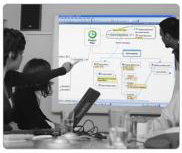
 In a recent survey, the readers of this blog identified making presentations with mind mapping software as one of the topics they really wanted to know more about.
Most people have sat through more mind-numbing PowerPoint presentations than they care to think about. Most contain too much text and not enough visuals to capture and retain the audience’s attention. That’s why mind mapping software, with its organic visual appearance, is a compelling alternative for presenting your ideas.
Most of the top mind mapping software programs now offer a presentation mode, which enable you to walk your audience one branch at a time through your map’s content in a very focused, engaging way. To do this effectively, however, there are a number of key things you need to keep in mind:
Building your presentation
1. Good organization of your map content is a must. Remember: many people in your audience may not have seen a presentation made with mind mapping software before. Once the “wow” factor wears out, you need to be able to persuade or inform them with map content that is well organized into a natural progression or “flow” that your audience can easily follow.
2. Try not to make your map too complex, because the average person can’t keep more than 3 to 4 key points in their mind at one time. That’s why PowerPoint slides with more than 3-4 bullet points are famously ineffective. Presentation expert Cliff Atkinson calls this the “eye of the needle” effect: if the typical human brain can only handle a limited number of “chunks” of information at that time, then we need to plan our presentations accordingly.
Atkinson recommends formatting your mind map as a right-facing tree, starting with a top-level topic and then drilling down into successive levels of detail. The key is to break your presentation down into digestible “chunks” that the minds of your audience members can easily process. Mind mapping software is an invaluable tool for deconstructing your presentation topic into its component parts. Also, formatting your map as a right-facing tree makes it easier for you to envision the flow from broad overview to the details of your presentation, and will ultimately make it easier for your audience to follow the progression of what you’re trying to say.
3. Be sure to incorporate color and images into your mind map, to add visual interest and engage your audience. The brain loves color and images, and you’ll get better audience attention if you make them part of your map. After all, you would never dream of making a PowerPoint presentations with black-and- white slides, would you? Then why would you do so with a mind mapping program?
4. Limit the number of levels of topics in your map, since each one will open as a separate step in your presentation. That’s the functional equivalent of incorporating too many transitions into a single PowerPoint slide – where you may have to click your mouse numerous times to get all of your slide’s content to display. It tends to annoy audiences and breaks the flow of your presentation too much. So try to avoid it.
5. Know your audience: Finally, as with preparing any PowerPoint presentation, know your audience and plan accordingly. A presentation made to your firm’s president shouldn’t contain as much detail as one made to middle level managers, for example.
Pre-presentation preparation
6. Be sure you’re familiar with your program’s presentation mode controls. What if a member of your audience asks if you can go back to particular topic on screen? Could you do it? Like a good Boy Scout, you need to “be prepared.”
7. Test everything: If you’re going to use file or web links in your map-based presentation, you should remember to test them beforehand, in the location where you will be making the presentation. This will help you to verify several things: First, that the Internet connection is working; second, that your links are properly formatted (for example, if a web link is improperly formatted, it may not open during your presentation, or you may get a “page not found” error – how embarrassing!); and third, that your map and presentation controls are displayed properly at the native resolution of the projector or web conferencing application that’s being used to display your presentation.
A recent experience of mine helps to illustrate the importance of advance preparation. Recently, I was one of two speakers in a webinar, and I was using MindManager 7 to support my presentation via WebEx. Much to my shock, when I entered the program’s presentation mode, the presentation control bar was hidden behind the Windows toolbar – which meant I had a major problem. Fortunately, I discovered this before it was my turn to present, and I quickly changed the settings of my laptop’s toolbar to “auto-hide” – and I was able to successfully give my presentation. But I should have tested this before the webinar started. You can never be too careful when it comes to presentation technology. When you least expect it, it can bite you in the butt!
8. Annotation adds value to your presentation: If you’re presenting to a small group, don’t forget that many programs that have a presentation mode also enable you to annotate your map with additional topics, notes and other resources. It’s a great way to record team member feedback during the meeting. When the meeting is over, you can e-mail the annotated map to the people who attended your meeting, as a set of visual “minutes” of the meeting.
Conclusion
If you take these steps to prepare a solid, well-organized mind map and test everything prior to your meeting as I have recommended, you should be able to deliver a presentation that will “wow” your audience, and will help them to retain your key messages.
If you liked this post, please sign up for this blog’s RSS feed.
Leave a Reply