
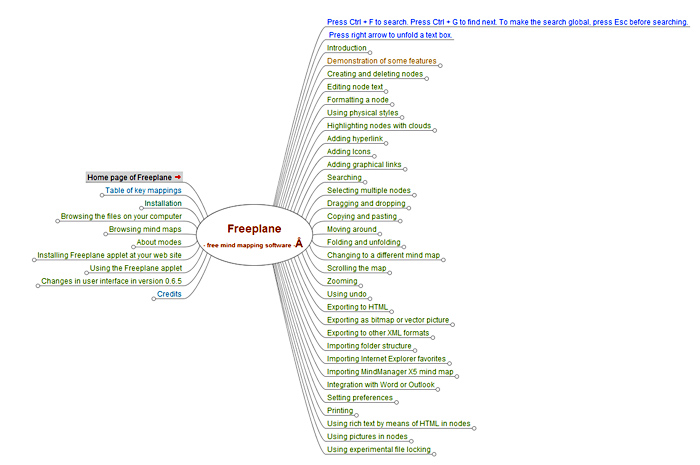
 Freeplane is a new open-source mind mapping software program that is an offshoot of the popular Freemind program. About two years ago, a group of developers contributing to Freemind had some different ideas about its future development, and so they split off or “forked” away from its codebase. The result is a program that is already superior in many ways to Freemind.
The development team has made impressive progress since breaking off from the Freemind code base almost two years ago. They have refactored the code to create a highly modular, clear and logical design, to ease entrance into development and to provide a solid foundation for long term development. In addition, the small but ambitious open-source development team has already made numerous improvements to the program, including:
- A spell checker
- Improved filtering functionality, which now includes the addition of a filter menu and icons, a filter history (“Now how did I find that topic the last time I looked at this map?”) and a date-based filter.
- You can configure the program to load the last-viewed map on startup – ideal if you use a master map as your personal “operations center.”
- Easily customizable hot keys for faster operation.
- The note editor can be positioned to the left, right, top or bottom of the screen.
- The menu bar can be turned on and off using the right click menu.
- A new Freeplane viewer applet, which means you can make your Freeplane-produced maps more widely accessible to your colleagues or visitors to your website.
Many more improvements are detailed on the Freeplane web page. In addition, there is a very active wiki where you can find out more details about the team’s vision for Freeplane and its development progress. The group admits in the wiki that much more work needs to be done to define the future roadmap for Freeplane. One of their goals is to develop an open and extensible mind mapping file format that will be aligned with the Open Document Format, an XML-based file format for representing electronic documents such as spreadsheets, charts, presentations and word processing documents. This would make it easy to export the contents of your Freemind maps to other applications, such as text documents or spreadsheets.
Freeplane is a new open-source mind mapping software program that is an offshoot of the popular Freemind program. A group of developers from the Freemind team had some different ideas about its future development, and so they split off or “forked” away from Freemind’s codebase. The result is a program that is superior in many ways to Freemind.
One thing that you notice almost immediately when you open Freeplane is the clean interface, large workspace and the thoughtful inclusion of F-key commands (called the “F-bar”) just below the toolbar that provides new users with guidance on how to perform some common tasks. For example, F3 is used to select a topic, F4 to select a subtopic, F10 a note, and so on. While that’s somewhat useful, I was confused at first – I thought F3 could be used to ADD a topic, F4 to add a subtopic and so forth. This can be turned off in the program’s “view” menu. In addition, a secondary toolbar, which contains icons and symbols, can also be turned on or off, depending upon how clean of an interface you prefer.
The development team has made impressive progress since breaking off from the Freemind code base almost two years ago. They have refactored the code to create a highly modular, clear and logical design, to ease entrance into development and to provide a solid foundation for long term development. In addition, the small but ambitious open-source development team has already made numerous improvements to the program, including:
A spell checker
Improved filtering functionality, which now includes the addition of a filter menu and icons, a filter history (“Now how did I find that topic the last time I looked at this map?”) and a date-based filter.
You can configure the program to load the last-viewed map on startup – ideal if you use a master map as your personal “operations center.”
Easily customizable hot keys for faster operation.
The note editor can be positioned to the left, right, top or bottom of the screen.
The menu bar can be turned on and off using the right click menu.
A new Freeplane viewer applet, which means you can make your Freeplane-produced maps more widely accessible to your colleagues or visitors to your website.
Many more improvements are detailed on the Freeplane web page (http://freeplane.sourceforge.net/). In addition, there is a very active wiki where you can find out more details about the team’s vision for Freeplane and its development progress. (http://sourceforge.net/apps/mediawiki/freeplane/index.php?title=Main_Page)
The group admits in its wiki that much more work needs to be done to define the future roadmap for Freeplane. According to the Freeplane wiki, the group hopes to develop an open and extensible mind mapping file format that will be aligned with the Open Document Format, an XML-based file format for representing electronic documents such as spreadsheets, charts, presentations and word processing documents. (http://en.wikipedia.org/wiki/Open_document_format)
Leave a Reply