
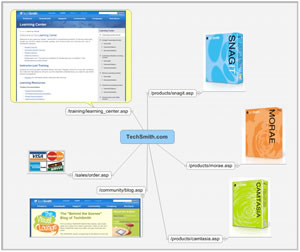
 TechSmith, the developer of the popular SnagIt screen capture program, recently announced a new accessory that enables you to perform a screen capture and then send it to a MindManager map with a single click. You can insert the screen capture into your map as a new main topic, selected topic, floating topic, sub-topic, note, or callout. It looks very flexible!
When this free SnagIt accessory is installed in the screen capture program, a MindManager icon appears under its “send” menu. When you click it, a popup window lets you select where you want your screen capture to be placed within the currently open map on your computer. If you click on this button without an open MindManager file, the screen capture will be inserted as the central topic of a new map.
If you don’t currently own a licensed copy of SnagIt, you can pick it up for US$49.95. As I mentioned earlier, this output widget is a free download. Here’s a link to the documentation, if you want to see how it works.
Leave a Reply