
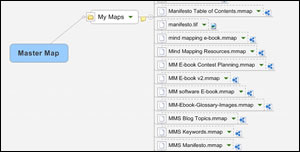
A master map is a map of all of your mind maps. In other words, it’s a single mind map that enables you to organize and quickly access all of the visual diagrams you have created with your mind mapping software. It’s a key to increasing your productivity with your mind mapping software. Here’s how to create one.
Meditative mind mapping
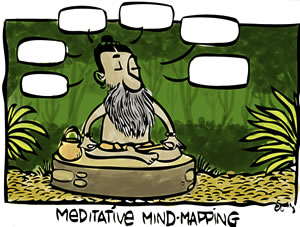
A big hat tip to Sean D’Souza for alerting me to this hilarious cartoon, entitled “meditative mind mapping.”
How visual mapping can be an antidote to project paralysis
Dave Gray’s new book, Marks and Meaning, delves quite deeply into the business uses of visual information. In the process, he describes some common problems that many of us face. A case in point: The paralysis that is often caused by information overload, and the detrimental effect this can have on decision-making.
10 reasons why mind mapping should be the foundation of your personal productivity system
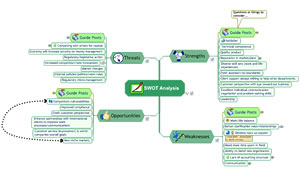
Mind mapping software can significantly improve your effectiveness, so much so that you really ought to consider making it a key tool in your personal productivity arsenal. Here are 10 reasons why you should incorporate this technology into your workflow.
How to use successive approximation to improve your visual maps

Last week, I told you about Dave Gray’s fascinating new book about visual thinking, Marks and Meaning. Today, I’d live to dig a bit deeper, taking a closer look at a concept from it called “successive approximation” that can help you to become a better visual mapper.
10 advantages of mind mapping software vs. hand-drawn maps
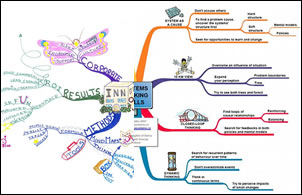
Hand-drawn mind maps have a rich history and are widely used today, thanks to the pioneering work of people like Tony Buzan, who has written many books and speaks widely on the subject. They are a powerful, colorful and memorable way to represent ideas and information. But they only scratch the surface of what’s possible with today’s mind mapping software. Here are 10 unique capabilities that mind mapping software offers, on top of the advantages of hand-drawn visual maps.
My presentation from the VizThink idea mapping webinar
This morning, I was a co-presenter with Jamie Nast (author of the book, Idea Mapping) on an idea mapping webinar produced by VizThink, the burgeoning community of visual thinkers. This post contains a link to a mind map of my remarks.
How to use your program’s notes feature
Most of today’s mind mapping software programs enable you to add notes to posts, in either sentence or paragraph form. This is an ideal place to store your thoughts and ideas that are longer than a few words. In addition, according to Roger C. Parker, map notes are a great place to start writing your next article, report or book.
How to use mind mapping software to recession-proof your career
About a month ago, I asked the community of bloggers who cover mind mapping software to give me their perspectives on how this type of productivity tool can help you to recession-proof your career. Here’s what they had to say.
Show branch alone in MindManager 7
Dr. Brian Friedlander recently posted a screencast in his Assistive Technology blog that briefly and simply explains how to use MindManager’s new "show branch alone" command. Why is this important? This feature is one that many users are likely to overlook, yet it may be one of the more important additions to MindManager. You see, […]
- « Previous Page
- 1
- …
- 24
- 25
- 26
- 27
- 28
- …
- 30
- Next Page »